


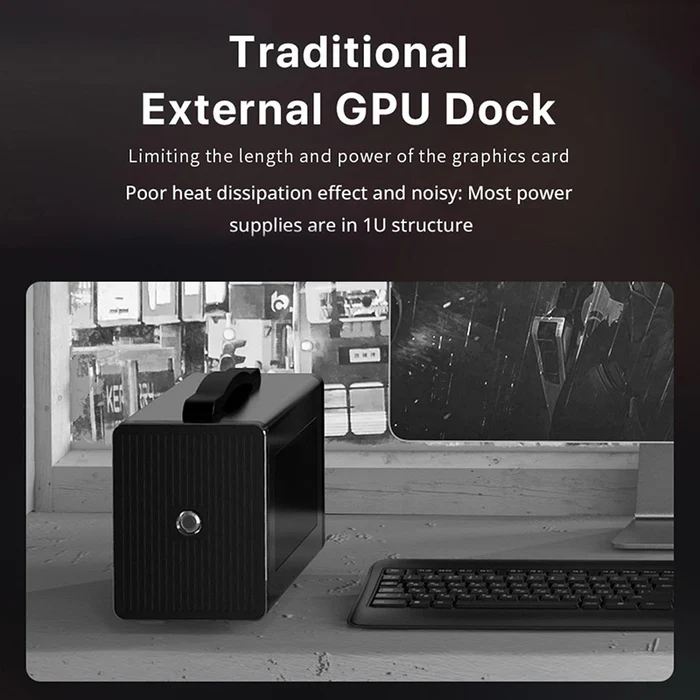


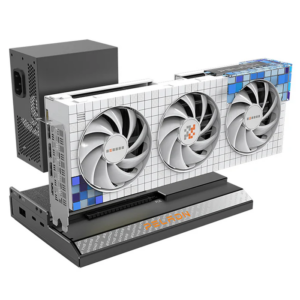
PELADN Link S Series eGPU Dock
TH: สินค้าออก E-TAX INVOICE ได้
Install: https://youtu.be/PQOPJPOhRPE?si=bA0TqFPxKPlLuILP
EN: E-TAX invoice available for this product.
🚀 รุ่นสินค้า (Models)
- ⭐️ PELADN Link S-1 E-GPU Dock M.2 Drive Interface Dual Thunderbolt 3 Interface Compatible With RTX 40 Series And RX 7000 Graphics Card
- ⭐️ PELADN Link S-2 E-GPU Dock OCulink Interface Compatible With RTX 40 Series And RX 7000 Graphics Card
⚡ คุณสมบัติ / Features
- TH: Dock การ์ดจอสำหรับ PC/Laptop รองรับความเร็วสูงสุด 40Gbps รองรับ USB3.0 และใช้ได้กับ AMD / NVIDIA
- EN: External GPU dock for PC/Laptop with up to 40Gbps speed, supports USB 3.0 and compatible with AMD & NVIDIA GPUs.
- TH: เชื่อมต่อผ่าน Thunderbolt 3 ให้ความเร็วสูง และจ่ายไฟได้สูงสุด 75W
- EN: Connects via Thunderbolt 3 delivering up to 40Gbps and 75W power delivery.
- TH: รองรับการขยาย M.2 NVMe SSD และ 2.5″ SATA HDD
- EN: Supports M.2 NVMe SSD and 2.5″ SATA drive expansion.
- TH: เพิ่มพอร์ต LAN เพื่อเครือข่ายที่เร็วและเสถียร
- EN: Expands wired network connectivity for faster and more stable performance.
- TH: เพิ่มประสิทธิภาพกราฟิกด้วย GPU แยก เหมาะกับงาน 3A Gaming และงานหนัก
- EN: Boosts performance with external GPU for gaming and heavy workloads.
- TH: แนะนำใช้ GPU: AMD RX570 ขึ้นไป / NVIDIA GTX1060 ขึ้นไป
- EN: Recommended GPU: AMD RX570+ / NVIDIA GTX 1060+
💻 Specification Table
| Model | Link S-01/ S-02 |
| Brand | PELADN |
| Type | Graphics Card Docking Station (eGPU Dock) |
| Interface | Thunderbolt 3 ×2 (75W + 25W) |
| Power Supply | ATX / SFX PSU (External) |
| Compatibility | Supports most AMD & NVIDIA GPUs |
| System | Windows 10 64-bit (AMD/NVIDIA) MacOS > 10.13.4 (AMD only) |
| Requirement | Thunderbolt 3 port + eGPU support |
| Transfer Speed | Up to 40Gbps |
| Weight | 1.5 kg |
| Dimensions | 30 × 22 × 18 cm |
| Package | 1 × Docking Station 1 × Thunderbolt 3 Cable 1 × Setup Guide |
🎯 การใช้งาน / Use Case
- : เพิ่มพลัง GPU ให้ Laptop / Mini CP
- : Upgrade GPU performance for laptops and mini PCs
- : ใช้งานด้าน Gaming / AI / Rendering
- : Suitable for gaming, AI, and rendering workloads
- : ใช้เป็น Workstation ขนาดเล็ก
- : Build a compact workstation setup
PELADN eGPU Dock Comparison (S-1 vs S-2 vs S-3)
📊 Comparison Overview
TH: ตารางเปรียบเทียบ eGPU Dock ทั้ง 3 รุ่น เพื่อช่วยให้เลือกใช้งานได้เหมาะสม
EN: A full comparison table of all three PELADN eGPU docks to help you choose the right model.
💻 Specification Comparison Table
| Feature | PELADN Link S-1 | PELADN Link S-2 | PELADN Link S-3 |
|---|---|---|---|
| Connection Interface | Thunderbolt 3 (Dual Port) | OCuLink | Thunderbolt 5 (Dual Port) |
| Max Bandwidth | 40 Gbps | ~64 Gbps | 80 Gbps (Real ~64 Gbps) |
| Latency | ปานกลาง / Medium | ต่ำมาก / Very Low | ต่ำ / Low |
| PCIe Interface | PCIe 3.0 (via TB3) | PCIe 4.0 x4 | PCIe 4.0 x4 |
| GPU Support | NVIDIA / AMD | NVIDIA / AMD | NVIDIA / AMD |
| Power Delivery | ~75W | ❌ ไม่มี / None | 140W |
| External PSU | ATX / SFX Required | ATX / SFX Required | ATX / SFX Required |
| Extra Ports | USB / LAN / Storage | None (Pure GPU Dock) | USB + LAN + M.2 + SD |
| Storage Expansion | M.2 + SATA | None | M.2 2280 (PCIe 3.0 x1) |
| LAN | Yes | None | 2.5G LAN |
| Compatibility | TB3 / USB4 | OCuLink only | TB5 / TB4 / USB4 |
| Ease of Use | ⭐⭐⭐⭐ | ⭐⭐ | ⭐⭐⭐⭐⭐ |
| Performance | ⭐⭐⭐ | ⭐⭐⭐⭐⭐ | ⭐⭐⭐⭐ |
| Target User | General / Creator | Gamer / Enthusiast | Professional |
🎯 Recommendation
TH:
– S-1: เหมาะกับผู้ใช้ทั่วไป ใช้งานง่าย
– S-2: แรงที่สุด เหมาะกับสาย Gaming / Performance
– S-3: ครบสุด เหมาะกับมืออาชีพและงานจริงจัง
EN:
– S-1: Easy to use, ideal for general users
– S-2: Best performance, ideal for gamers
– S-3: Most complete, perfect for professionals
—–
Reviews
There are no reviews yet.